




Hardware disclosure
The hardware page identifies the host CPU as AMD Ryzen 9 9950X and separates guest-visible resources from unverifiable upstream details.
Choose a game-specific landing page, see explicit CPU/RAM tiers, then manage the server through console, files, schedules, backups and SFTP. No generic VPS detour.

Console · Files · Databases · Schedules · Backups
Minecraft and Unturned get deeper game-specific flows, while every supported title gets its own landing page, live plan catalogue and direct checkout path.
Rather than copying generic hosting claims, the new site leads with things Monolith can actually demonstrate: disclosed node resources, clear plan limits, direct file access and the game panel.
See verified hardware ↗The hardware page identifies the host CPU as AMD Ryzen 9 9950X and separates guest-visible resources from unverifiable upstream details.
The content changes for Minecraft, Unturned, Source games, survival games and other workloads instead of pretending every game is identical.
Landing pages use the Paymenter-exported catalogue so plan IDs and pricing do not need to be duplicated by hand.
Server hosting is more than a checkout. Monolith keeps console, files, databases, schedules, backups and game-specific tools inside one control plane.
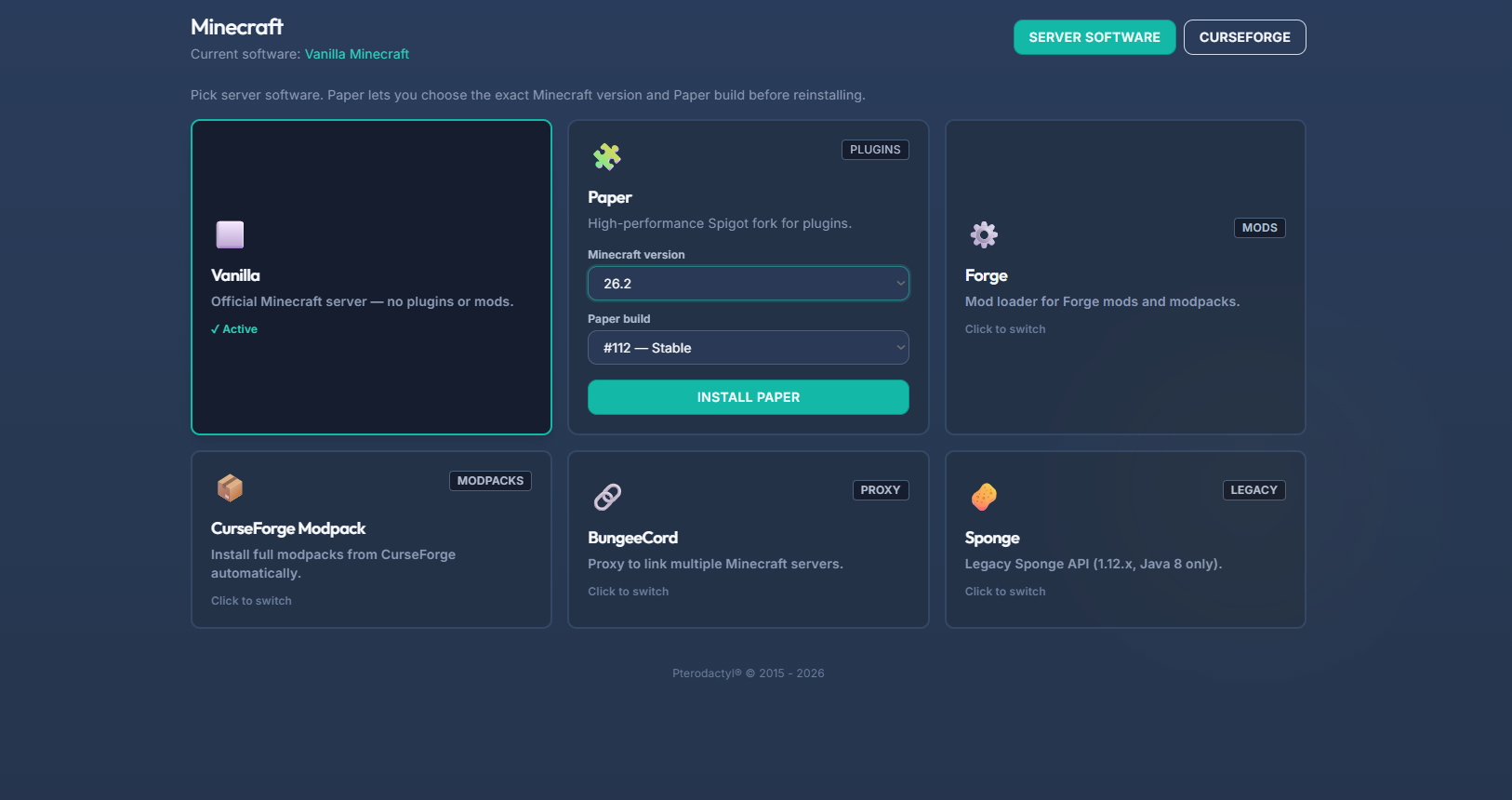 Actual Monolith panel workflow
Open a dedicated page built around that workload.
Compare live CPU/RAM tiers and billing terms before leaving the page.
The selected Paymenter plan carries through to the matching checkout.
Use the panel for files, console, schedules, backups and supported game tools.
Different games need different configuration, content and maintenance workflows. The plan controls stay consistent while the page explains the workload you are actually buying.
No. The landing pages read the current Paymenter-exported plan catalogue and send the selected plan ID into Billing.
The verified hardware page currently reports an AMD Ryzen 9 9950X host CPU, 8 visible vCPU threads and 47 GiB visible memory for the audited production node.
For supported games, use the file manager or SFTP to move worlds, saves and configuration. Always take a backup before replacing live files.
Then choose the resources, billing term and exact deployment.